
Print Book vs eBook Layout – What Authors Need to Know Before Publishing
Publishing today means more than uploading a manuscript and clicking “publish.” Whether you’re releasing a paperback, hardcover, or ebook, layout and formatting play a critical role in how your book is read, reviewed, and valued.
One of the most common mistakes authors make is assuming that print book layout and ebook layout are interchangeable-they are not. Each format has different technical requirements, reader expectations, and platform rules that must be handled separately.
1.Formatting Differences: Fixed Layout vs. Reflowable Design
Print Book Formatting
Print books use a fixed layout, meaning every page is carefully designed to remain exactly the same after printing.
- Fixed page size (e.g., 5×8, 6×9 inches)
- Static page breaks and line spacing
- Precise control over chapter starts, widows, and orphans
- Ideal for physical binding and print production
Ebook Formatting
Most ebooks rely on a reflowable layout, where content adapts to the reader’s device.
- Text reflows based on screen size and orientation
- Readers control font size, margins, and spacing
- Page numbers are replaced by locations or percentages
Note: Fixed-layout ebooks are used only for design-heavy titles such as children’s books or graphic novels.
Why this matters:
Print design is page-driven, while ebook design is device-driven-each requires a different technical approach.
2.Typography: Designer Control vs. Reader Preferences
Typography in Print Books
Print typography allows full creative control:
- Custom fonts and font sizes
- Exact line spacing and paragraph styling
- Kerning, tracking, and hyphenation control
- Fonts embedded for consistent output
Typography in Ebooks
Ebooks prioritize readability and accessibility:
- Readers can override fonts and font sizes
- Limited font embedding across platforms
- Clean CSS styling is essential
- Semantic tagging (headings, paragraphs) is critical
Our professional ebook conversion process ensures typography remains clean, consistent, and compatible across Kindle, Apple Books, Kobo, and Google Play.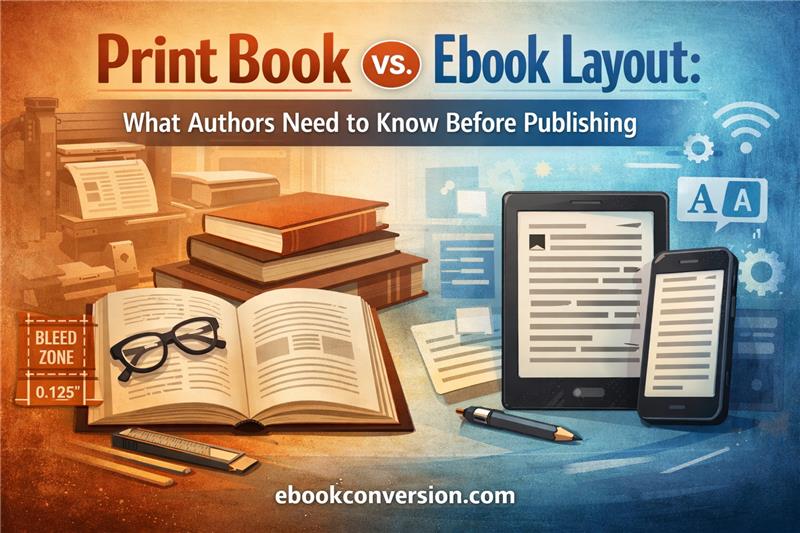
3.Margins: Print Binding vs. Screen Flexibility
Margins in Print Books
Margins must account for physical production:
- Inner (gutter) margins for binding
- Outer margins for comfortable reading
- Top and bottom margins for headers and footers
- Symmetry and balance across facing pages
Margins in Ebooks
Ebook margins are largely controlled by the reading device:
- No gutter margins required
- Minimal CSS margins
- Automatically adjust to screen size
Key difference:
Print margins protect physical usability, while ebook margins adapt to digital screens.
4.Bleed: A Print-Only Requirement
Bleed in Print Books
Bleed is essential when images or background colors reach the edge of the page.
- Standard bleed: 0.125 inches (3 mm)
- Prevents white edges after trimming
- Required for full-page images and cover interiors
Bleed in Ebooks
Bleed does not apply to ebooks.
- No trimming or physical edges
- Images remain within the visible screen area
This is why print-ready PDFs cannot be directly converted into high-quality ebooks without restructuring.
5.Images: High Resolution vs. Optimized Performance
Images in Print Books
Print requires high-quality images:
- 300 DPI resolution
- CMYK color mode
- Fixed placement
- Larger file sizes acceptable
Images in Ebooks
Ebooks require optimization:
- 72-150 DPI
- RGB color mode
- Responsive image scaling
- Compressed file sizes for fast loading
Our manual ebook conversion process ensures images display correctly on all devices without distortion or performance issues.
Print vs. Ebook Layout: Quick Comparison
| Feature | Print Book | Ebook |
| Layout | Fixed | Reflowable / Fixed |
| Typography | Designer-controlled | Reader-controlled |
| Margins | Fixed + gutter | Device-controlled |
| Bleed | Required | Not applicable |
| Images | 300 DPI, CMYK | Optimized, RGB |
Why Authors Need Separate Files for Print and Ebook
Print books and ebooks are two distinct publishing products, not format variations. Reusing the same file often leads to:
- Broken ebook layouts
- Inconsistent typography
- Image scaling issues
- Platform rejections
Professional publishers-and successful self-publishing authors-create format-specific files for each platform.
Final Thoughts
Understanding the differences between print and ebook layouts is essential for producing a professional, reader-friendly book. At ebookconversion.com, we specialize in manual ebook conversion and professional print formatting, ensuring your book meets industry standards across all major platforms.
If you want your book to look as professional as it reads, proper layout is not optional-it’s essential.